

Download ConceptDraw MindMap – mind map software, brainstorming tool, idea organization, visual thinking, concept mapping, creative planning
Overview
ConceptDraw MindMap is a dedicated desktop application designed to support visual thinking and structured idea development. It serves as a professional mind mapping tool for users who need to organize complex information through intuitive, hierarchical diagrams. The software enables individuals and teams to capture, structure, and refine ideas during brainstorming sessions, project planning, or strategic decision-making processes. Its primary purpose is to transform abstract thoughts into clear, visual representations that enhance understanding, memory retention, and collaboration.
Target users include professionals in project management, education, business strategy, and creative fields who rely on structured ideation to improve productivity. Students and researchers may also benefit from its ability to map out research topics, study outlines, or presentation structures. The software is particularly useful in scenarios requiring non-linear thinking, such as problem-solving, workflow design, and goal setting.
Developed by CS Odessa, a company known for its diagramming and business productivity tools, ConceptDraw MindMap continues to evolve with a focus on usability and visual clarity. The application is available for both Windows and Mac platforms, offering cross-platform consistency for users who work across multiple devices. While the developer did not provide additional details about the company’s history or broader product ecosystem, the tool’s design reflects a commitment to functionality and user-centric interface principles.
Key Features & Capabilities
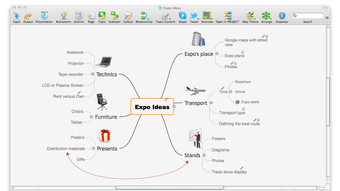
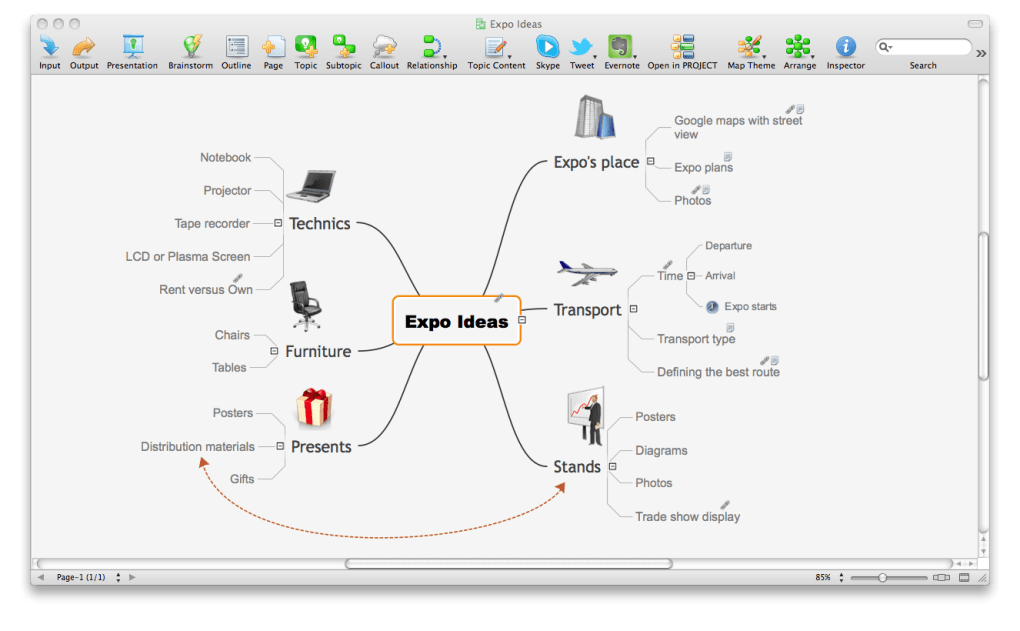
- Intuitive Mind Mapping Interface – Users can create and edit mind maps using a radial, node-based layout that visually organizes ideas around a central concept. This structure supports natural thought flow and encourages creative exploration.
- Rich Visual Customization – The software offers a wide range of styling options, including color themes, icons, images, and text formatting, allowing users to tailor their maps for clarity, presentation, or personal preference.
- Export and Sharing Options – Maps can be exported in multiple formats, including PNG, PDF, and HTML, facilitating integration into reports, presentations, or collaborative workflows.
- Collaboration Support – While specific collaboration mechanics are not detailed, the export functionality enables seamless sharing with team members or stakeholders.
- Template Library – The application includes a selection of pre-designed templates for common use cases such as meeting notes, project planning, SWOT analysis, and personal goal tracking.
These features empower users to transform raw ideas into structured, actionable plans. For example, a project manager might use the tool to break down a project into tasks, assign owners, and visualize dependencies. A teacher could create a concept map to illustrate the relationships between historical events. The ability to embed media and apply visual cues enhances comprehension and engagement, making the software suitable for both individual and team-based ideation.
User Interface, Workflow & Performance
The user interface of ConceptDraw MindMap is designed with clarity and efficiency in mind. The main workspace centers on a radial canvas where users can add, edit, and rearrange nodes with minimal friction. Navigation is handled through a clean toolbar, context-sensitive menus, and keyboard shortcuts, enabling fast access to core functions.
Workflow efficiency is supported by features such as drag-and-drop node movement, automatic layout adjustments, and the ability to collapse or expand branches for focused review. The interface is responsive and maintains stability during extended use, though exact performance metrics such as CPU or RAM usage were not specified by the developer.
General performance observations suggest smooth operation during typical use, including map creation, formatting, and export. The application launches quickly and maintains consistent responsiveness when handling moderately sized maps. However, detailed benchmarks or real-world load testing data were not provided. The developer did not specify resource usage details, so users should monitor performance based on their system’s configuration.
Compatibility & System Requirements
ConceptDraw MindMap is compatible with both Windows and Mac operating systems, making it accessible to a broad range of users across different computing environments. The software is available in version 11.3.0 and has an installation size of 100 MB, which indicates a lightweight footprint relative to other productivity tools.
Exact system requirements were not listed by the developer. As such, users should ensure their system meets general standards for running modern desktop applications. The developer did not provide information about minimum processor speed, RAM, or disk space beyond the installation size. Platform compatibility information is limited to the operating systems listed.
Pros and Cons
Pros
- Intuitive, visually engaging interface ideal for creative thinking and brainstorming
- Supports rich formatting and multimedia integration for enhanced visual clarity
- Offers a variety of templates for common planning and analysis tasks
- Lightweight installation size (100 MB) with cross-platform availability
- Efficient export options for sharing and presentation purposes
Cons
- Exact system requirements were not specified, limiting pre-installation planning
- Limited information on collaboration features and real-time editing capabilities
- Pricing at $99 may be considered high for casual users or students
- No publicly available details on update frequency or long-term support
FAQ Section
Is ConceptDraw MindMap available for both Windows and Mac?
Yes, the software is compatible with both Windows and Mac operating systems, offering a consistent experience across platforms.
Can I use ConceptDraw MindMap offline?
Yes, as a desktop application, ConceptDraw MindMap does not require an internet connection to function after installation.
Is the software secure to download and install?
ConceptDraw MindMap is developed by CS Odessa, a known provider of business software. The application is distributed through official channels, making it a secure choice when downloaded from trusted sources.
How often are updates released?
While the developer did not specify update frequency, the current version is 11.3.0, released on March 15, 2024. Users are encouraged to check for updates through the application or official website.
What type of license does ConceptDraw MindMap use?
Based on the pricing model, the software appears to use a perpetual license with a one-time purchase. However, specific licensing details were not provided by the developer.
Final Thoughts + CTA
ConceptDraw MindMap stands out as a capable and visually refined tool for anyone engaged in structured ideation, strategic planning, or creative problem-solving. Its clean interface, customizable templates, and export versatility make it a strong contender in the mind mapping space. While the lack of detailed system requirements and limited collaboration insights may pose challenges for some users, the software delivers a professional-grade experience tailored for productivity-focused individuals and teams.
Those who value visual thinking and need a reliable tool for organizing complex ideas will find ConceptDraw MindMap to be a valuable addition to their workflow. Whether used for personal planning, academic research, or business strategy, it supports clear, intuitive communication of ideas.
Download ConceptDraw MindMap now







